
Kick VOD downloader that handles 10-hour streams
Paste a Kick VOD link, pick the exact moment and download only that part. No browser extension, no length limit, no waiting for the whole stream.
Why long Kick VODs are hard to download
Kick VODs are served as streaming playlists made of thousands of small segments. Most online downloaders were built for short videos and give up, time out or queue you for hours on a long stream.
VODSlice reads the playlist directly from your own connection and fetches only the segments that cover your selection. A 3-minute clip from a 7-hour VOD is ready in seconds, not hours.
Kick VOD downloader that handles 10-hour streams
Copy the Kick VOD link
Open the past broadcast on Kick and copy the address from your browser (kick.com/channel/videos/…).
Paste it in VODSlice
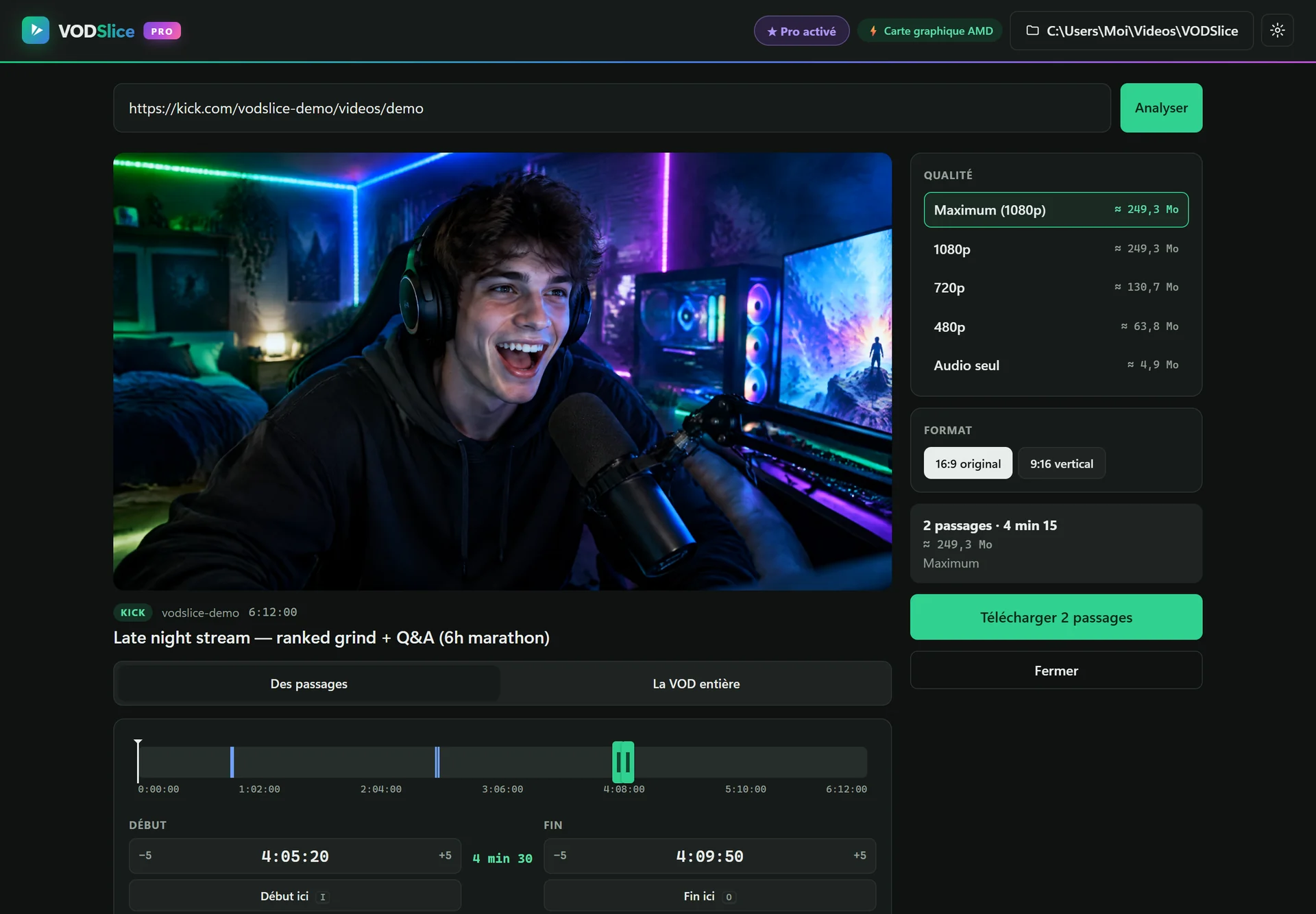
The app shows the title, length, a preview player and the available qualities with their estimated size.
Pick the moment
Drag the handles on the timeline or type the times (1:05:30). Add several clips if you need more than one highlight.
Download
Choose the quality and format. VODSlice downloads only your selection and saves an MP4 ready to edit or post.
FAQ
Can I download a full Kick VOD?
Yes. Choose “The whole VOD” instead of “Clips”. VODSlice downloads it segment by segment and can resume if your connection drops.
Does it work with Kick clips and live streams?
VODSlice is built for past broadcasts (VODs) and clips. To save a stream, wait until Kick publishes the VOD after the live ends.
What quality can I get?
Everything Kick provides, usually up to 1080p60. The free version goes up to 720p; Pro unlocks the maximum quality.
Is it allowed?
Use VODSlice for your own streams or content you have permission to reuse, and follow Kick’s terms. Clipping your own VODs for highlights and Shorts is the most common use.